UI
CustomBuilds Loading Screen
Config-driven loading screen. Rules, staff, tips, brand. Ensure first.
standalonevmenuloading-screenui
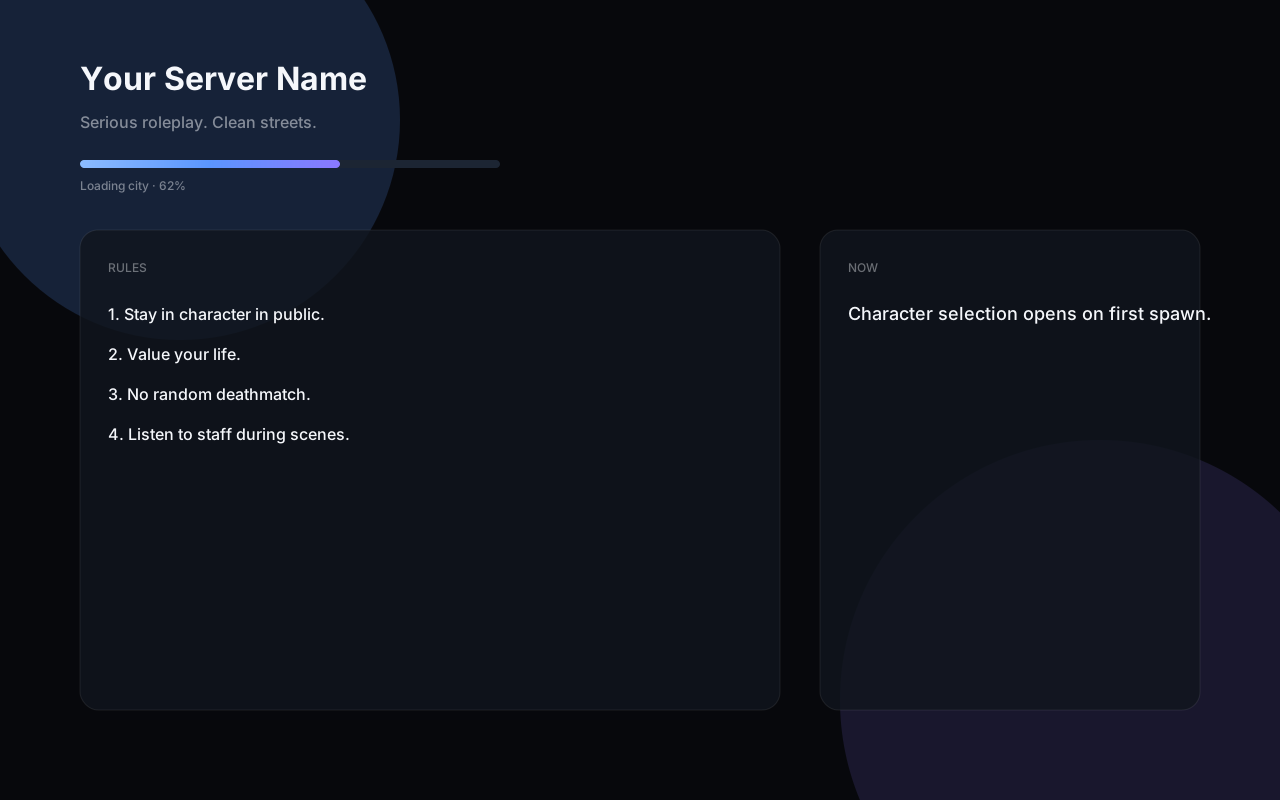
Customizable loading screen. Server name, rules, staff, announcements, tips, and theme all live in config.lua. Optional logo PNG. Manual shutdown on playerSpawned. Put this resource first in server.cfg.
Features
- Brand, rules, staff, tips in config.lua
- Optional logo.png
- Theme accent and background
- Manual shutdown on spawn
- Ensure first
What's included
- Ready-to-drop FiveM resource folder
- fxmanifest.lua, config.lua, and client/server scripts as required
- README and commercial license
- Downloadable ZIP for version 1.0.0
Compatibility
standalone
Requirements
FiveM server (current recommended artifacts). Standalone / vMenu. No ESX, QBCore, Qbox, or ox_lib. One resource folder, no hidden cb-core dependency.
Installation
1. Drop the cb-loading-screen folder into your server resources directory. 2. Add this to server.cfg: ensure cb-loading-screen 3. Grant ACE from the product README if you want the permission nodes enforced. 4. Edit config.lua for brand, commands, and keybinds. 5. Restart the server or run ensure cb-loading-screen.
Version 1.0.0
Changelog
- 1.0.0 — Initial release. Standalone vMenu resource.
Support
Support through CustomBuilds Discord. Config is config.lua. Runtime data is JSON under the resource data folder.